

Burrow

Everything you'd open six apps for.

A free, open-source Mac utility that clears junk, finds duplicates and leftovers, maps what is eating your disk, and watches live system status. One native window, and a Windows build in beta.

brew install --cask caezium/tap/burrow

Free·v0.11.2· macOS 14+·Windows 10/11 (beta)

Already downloaded by 13,091 people

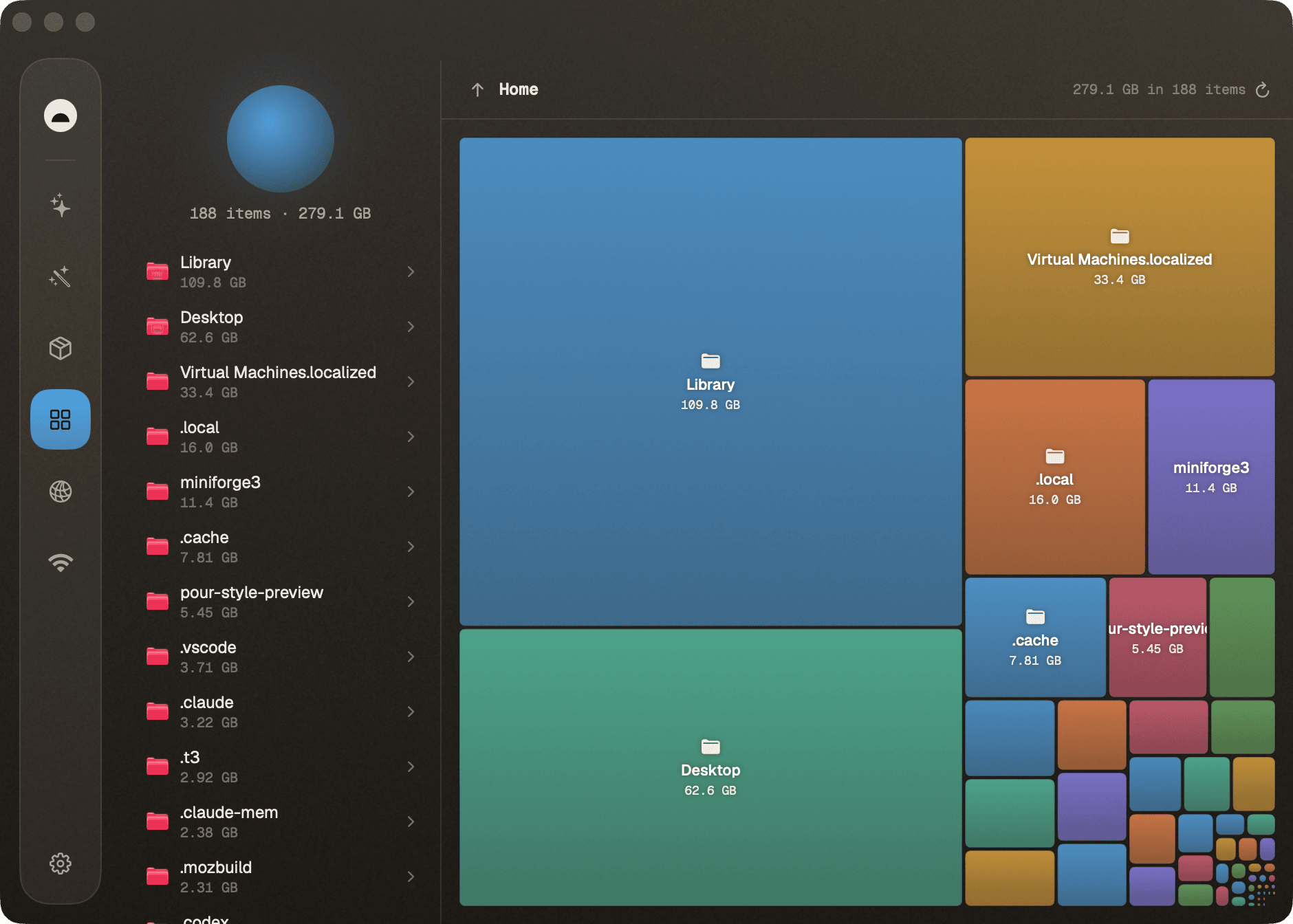
Burrow Analyze treemap showing what is using disk space
what's inside

Sixteen surfaces, one window.

Each tool re-themes the whole window in its own colour, because the colour is how a tool tells you what it is about to touch. Every one does its job end to end, without dropping you into a terminal.

Clean
10+ categories

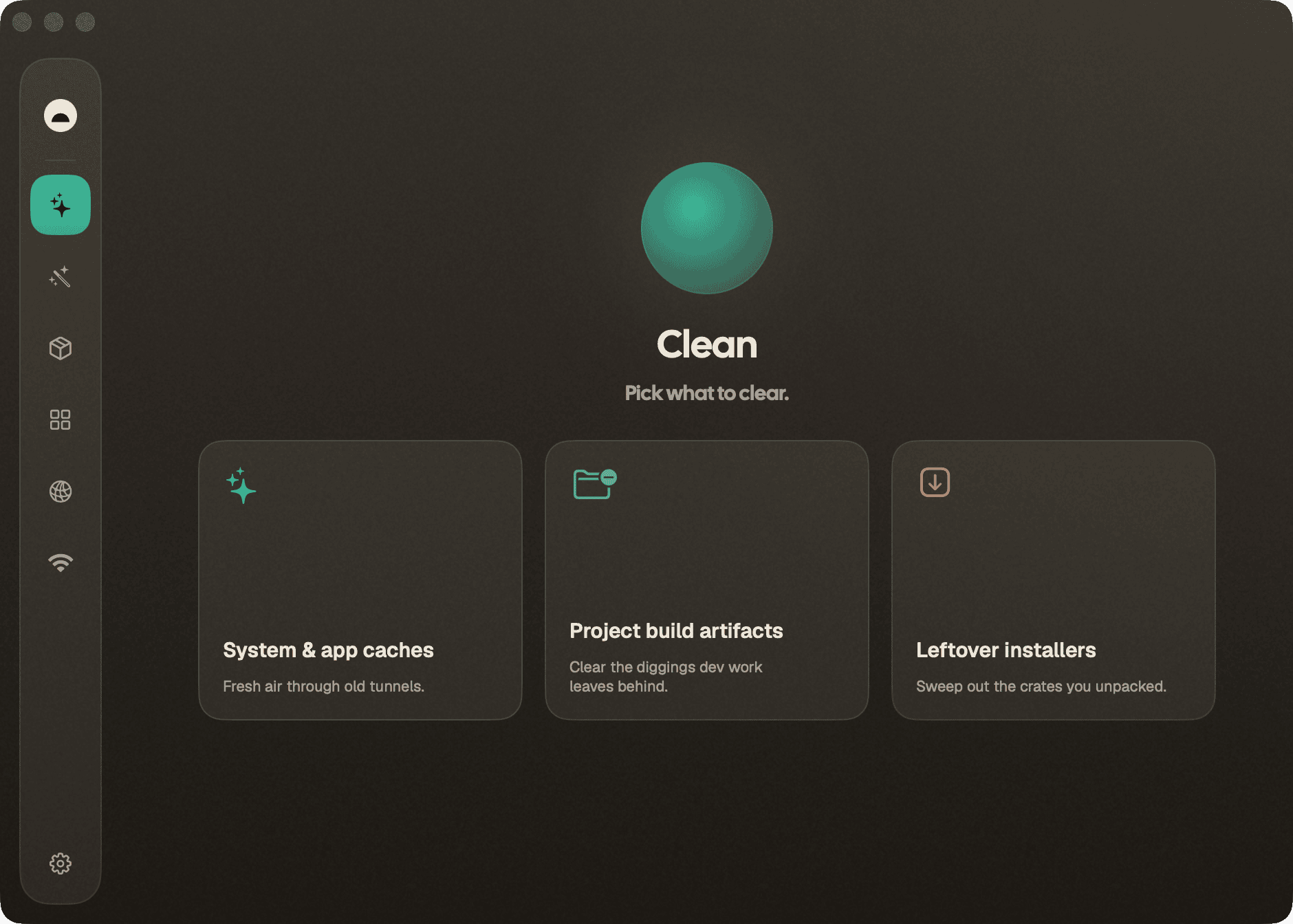
Caches, logs, and temp files across ten-plus categories, sorted by what is safest to remove. You see every file and byte before anything moves.

Purge
dev leftovers

The diggings dev work leaves behind: node_modules, DerivedData, build output, stale package caches, all with rebuild cost shown.

Installers
downloads sweep

The crates you already unpacked. Finds .dmg and .pkg files sitting in Downloads long after the app was installed.

Apps
bulk uninstall

Every installed app, sortable by size or recency, with multi-select uninstall that sweeps preferences, support files, and launch agents.

Optimize
one prompt

Rebuild Quick Look, repair caches and metadata, flush DNS, audit login items. The routine chores behind one prompt.

Tune-Up
one pass

Smart-Care in a single pass. Picks the maintenance that actually applies to your machine right now and runs it end to end.

Analyze
treemap

A squarified treemap of the whole disk. Drill into any branch, then reveal in Finder or send to Trash from the context menu.

Duplicates
content hashed

Content-hashed duplicate finder that is hardlink aware, so files shared between tools are not counted twice.

Leftovers
orphan files

Support files, preferences, and launch agents from apps you removed long ago, matched back to the app that left them.

Similar Photos
perceptual match

Perceptual matching across your library to surface near-identical shots and burst frames worth thinning out.

Status
live + HUD

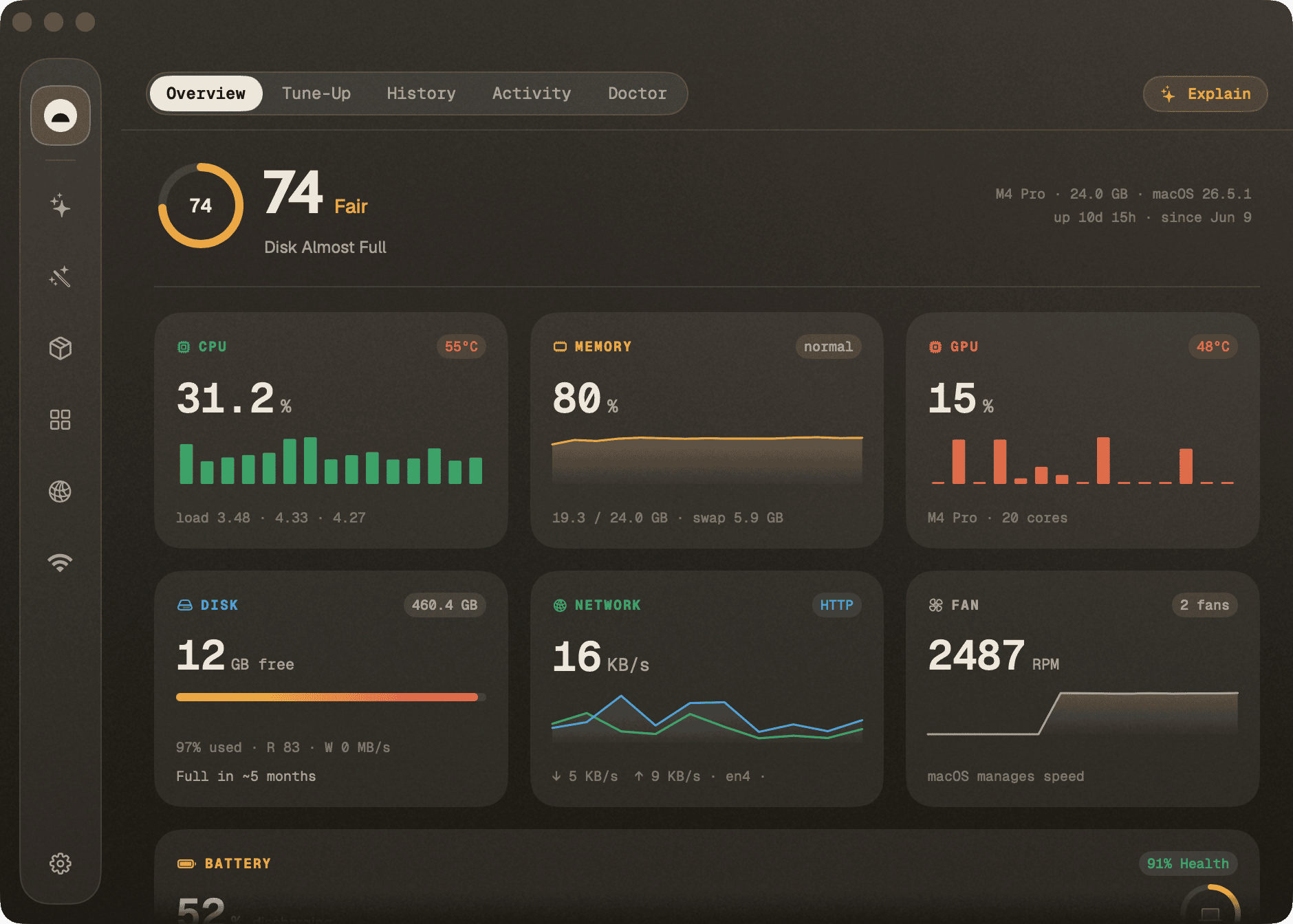
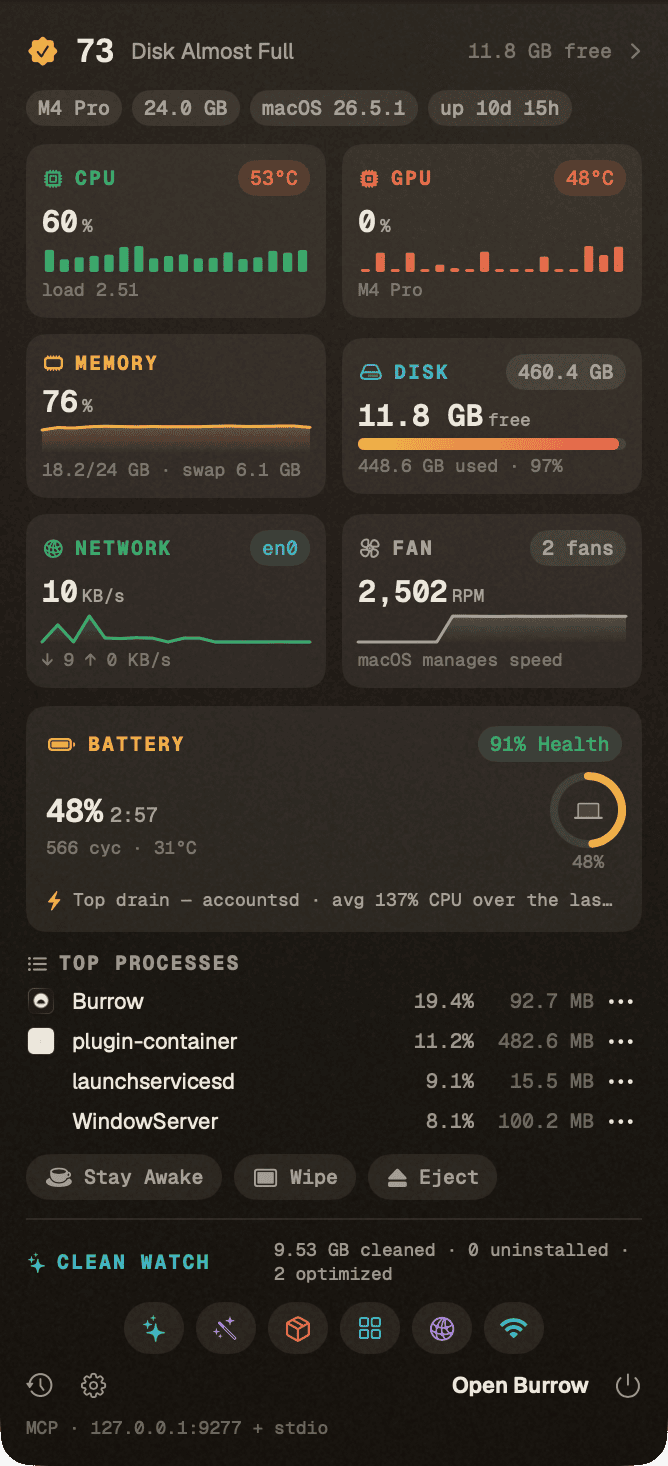
CPU, memory, GPU, disk, network, and battery on one page with sparklines, plus a pinnable process table and a menu-bar HUD.

Ports
who is listening

Every listening port with the process behind it, so you can find what is holding 3000 without reaching for lsof.

Network
per process

Live throughput per interface and per process, so you can see what is actually using the connection.

Get Online
diagnostics

A guided path back to the surface when the connection drops: DNS, gateway, captive portal, and interface checks in order.

History
90 days

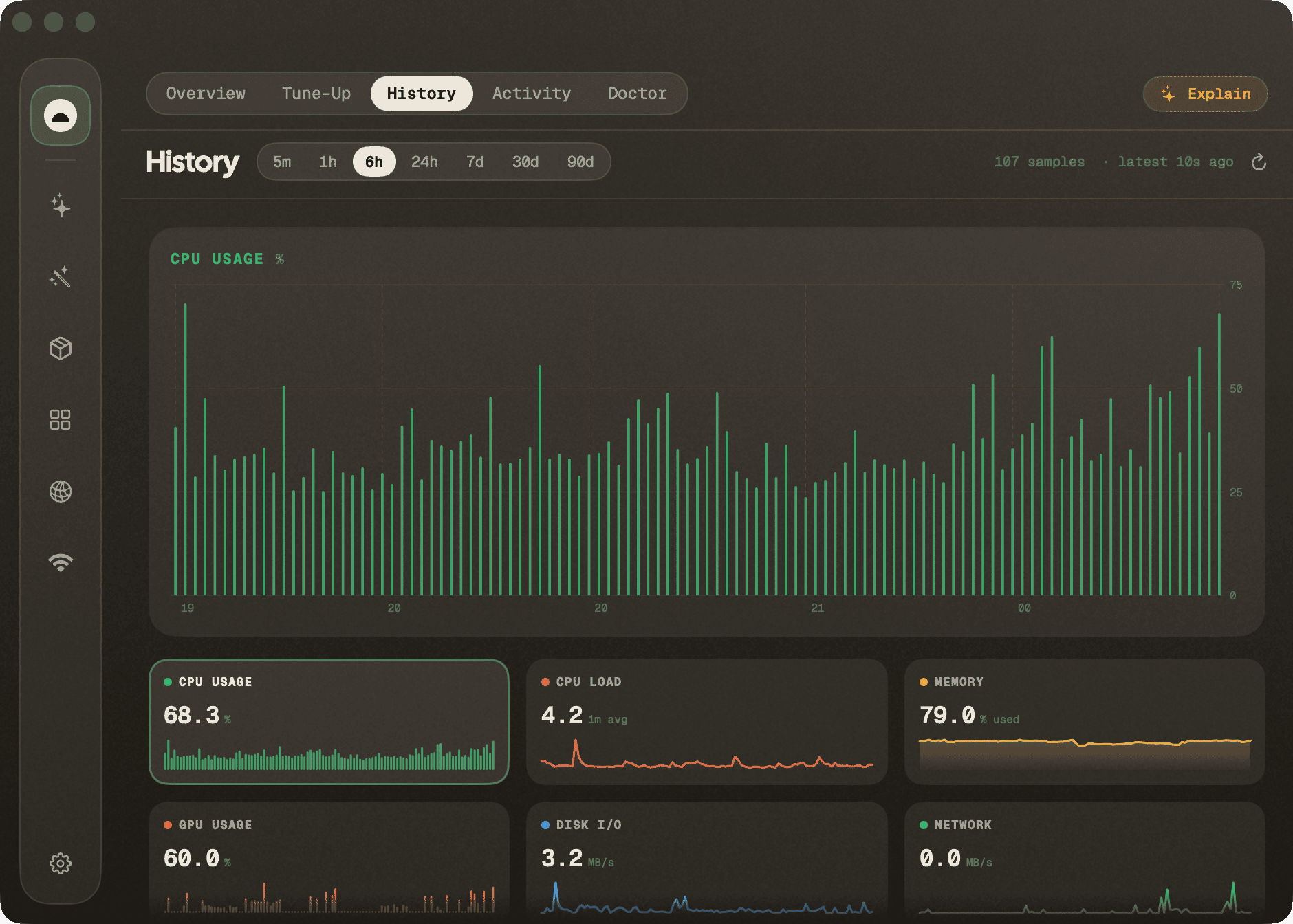
Every status sample lands in a local SQLite file. Scrub from five minutes out to ninety days, with peak-per-process tables.

Agent · MCP
26 tools

Twenty-six MCP tools expose the whole app to Claude Code, plus a loopback HTTP API. Read-only by default; destructive actions opt in separately.

see it

Built to be looked at, not just run.

See what's actually eating the disk.

A squarified treemap of every folder, sized by what it really costs you. Drill down until the culprit is obvious, then act on it without leaving the map.

Analyze

Burrow Analyze: a treemap of disk usage, drilled into a folder

Every pulse of the machine, live.

CPU, memory, GPU, disk, network, and battery share one page, each with a sparkline. The process table sorts and pins so the thing spinning your fans stays in view.

Status

Burrow Status: live CPU, memory, GPU, disk, and network with a process table

Show before you remove.

Clean sorts everything it finds by how safe it is to delete, and shows the file list and byte count before anything moves. Untick what you want to keep; nothing goes on a single mis-tap.

Clean

Burrow Clean: categorized junk with file counts and sizes, ready to review

A long memory of the den.

Status samples land in a local SQLite history you can scrub from five minutes out to ninety days, with peak-per-process tables for the moments the fans actually spun up.

History

Burrow History: long-range charts of CPU, memory, and disk over ninety days

The whole den, from the menu bar.

A HUD that drops the full picture down without opening the app: live metrics, top processes, and a jump into whichever tool you need.

Burrow menu-bar HUD: live metrics and top processes in a dropdown

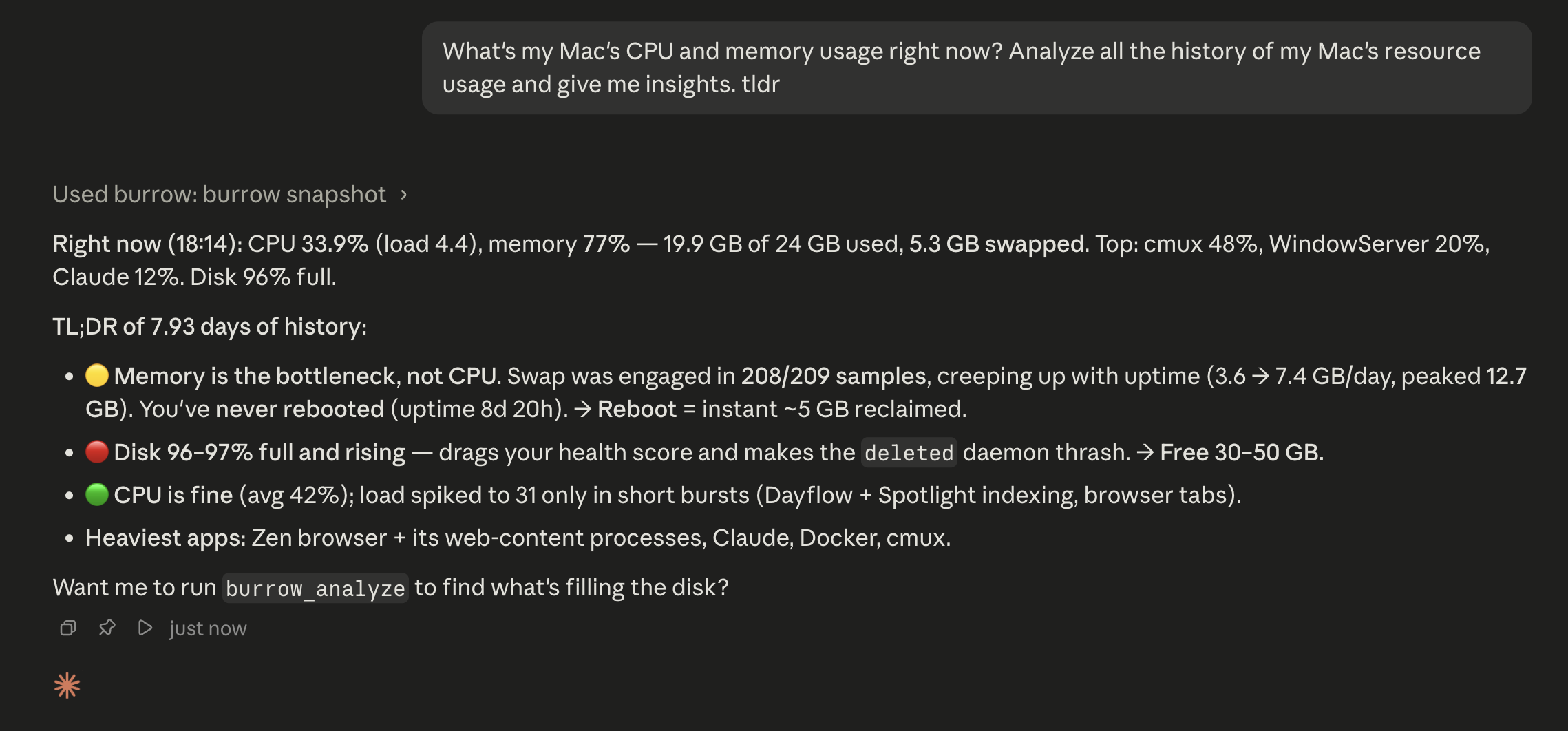
Ask your Mac, from Claude.

The built-in MCP server exposes burrow_snapshot, burrow_history, and burrow_top_processes to any agent, plus a loopback HTTP API on 127.0.0.1:9277. Both stay local.

Agent · MCP

Claude Code querying Burrow's MCP server for machine state
What's new · August 2026

New in 0.11.2

All releases
CPU usage matches the sampling window

The bundled engine keeps a baseline across refreshes, samples before collector fan-out, and sums tick deltas instead of reporting the collector's own burst.

Updates report the right outcome

Translocation, ordinary network failures, and cancellation stay measurable without becoming Sentry defects; actionable failures still produce one scrubbed diagnostic.

AppKit gets a settled launch turn

Normal menu-bar creation waits one second after launch before entering its existing stability window, while the exact macOS 27 Beta 4 safeguard remains in place.

// also tightened in 0.11.2
Sparkle keeps its native move-to-Applications and retry UI App-Hang digests paginate and roll over instead of dropping older groups #319 stays open until an affected macOS 27 Mac verifies the notarized build
why you can trust it

A tool that touches your files should earn it.

Open source

Every line is public and MIT-licensed, so you can read it, audit it, or fork it. See the repo.

Show before you remove

Every action lists the files and the bytes first. You confirm; Burrow acts. No background root helper: macOS's own dialog asks you.

Your data stays put

Scans, metrics, and history never leave the machine. Anonymous, opt-out diagnostics are listed field by field in TELEMETRY.md.

install

Free, forever. No account, no subscription.

Every tool, the menu-bar HUD, history, and the MCP server, on as many machines as you like.

macOS

.zip · Apple Silicon & Intel

Windows

.zip · 64-bit

beta · 0.10.0

Homebrew

cask · app + engine

Windows trails the Mac release and is still a preview. More ways to install, checksums, and older versions live on the install page.

Frequently Asked Questions

Yes. MIT-licensed, with no accounts, no trial limits, no paid tier, and nothing bundled in. The full source is on GitHub if you want to read it before you run it.

Every action shows the file list and byte count before it runs, and Clean sorts categories by how safe they are to remove. There is no background root helper: when a task needs admin rights, macOS's own dialog asks you, Burrow runs that one command, then exits.

Caches and temporary files that apps regenerate on their own: browser caches, developer build artifacts, app support caches, logs, leftover installers. Package caches and build output with real rebuild cost stay unchecked until you confirm them yourself.

No files, paths, URLs, or metrics. Scans and history stay on the machine, and the MCP server is loopback only. Burrow does send anonymous, opt-out usage and crash diagnostics, disclosed field by field in TELEMETRY.md. One Settings switch turns it off, and source builds ship inert.

No. Burrow runs a safe scan without it. Granting it lets Burrow reach deeper App Support and container caches, and you can grant or revoke it whenever you like.

Yes, from 0.11.0 onward, and a tag cannot publish unless signing, notarization, stapling, and Gatekeeper assessment all pass. Archived 0.10.5-and-earlier builds predate that: right-click and choose Open if Gatekeeper blocks one. The full contract is in SECURITY.md.

Twenty-six MCP tools cover snapshots, history, top processes, disk analysis, duplicates, ports, network, and more. Fourteen are read-only and available immediately; the ones that change your machine need their own explicit opt-in. The full list is in agent-tools.md.

A native WinUI 3 and .NET 8 port is in active beta, reaching parity tool by tool. macOS is the mature flagship; the Windows preview ships as a zip today, with an installer coming. Track it on GitHub.

Building from source, wiring up the MCP server, or anything else? It is all in the README.